
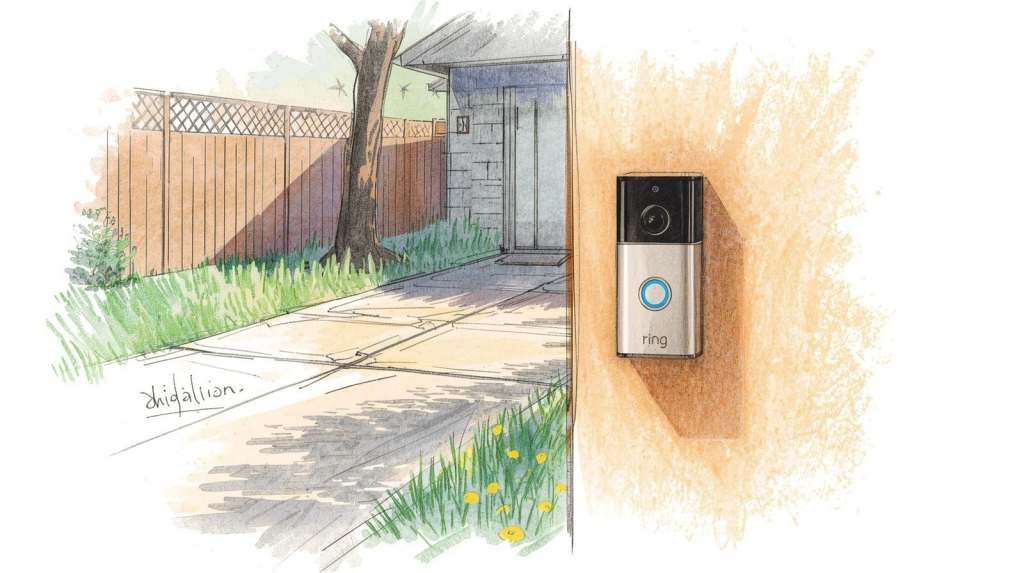
Protecting your property is a top priority, especially if you spend part of the year traveling or living up north. For residents and snowbirds in Venice, Florida, leaving a house empty for months at a time can create unnecessary stress. Small problems can escalate quickly, and missing an important delivery is always a hassle. Smart home security has emerged as a reliable way to keep an eye on your property from anywhere in the world.
Adding a video doorbell to your front porch provides immediate visibility into who is visiting your property. You can greet guests, deter unwanted visitors, and keep an eye on your neighborhood right from your smartphone. It is a simple upgrade that offers immense reassurance for seasonal travelers and full-time residents alike.
Before you purchase a device and start drilling into your stucco, there are a few important details to consider. Installing smart technology in Florida comes with unique weather and connectivity challenges. This guide will walk you through exactly what you need to know before setting up a Ring Doorbell on your Venice home, ensuring your system works flawlessly all year round.
Why a Ring Doorbell Makes Sense for Your Home
Investing in a smart doorbell brings numerous advantages to your daily routine. The most obvious benefit is enhanced security. The visible presence of a camera often deters potential intruders before they even approach your door. If someone does walk up to your house, the motion sensor triggers an immediate alert to your phone, recording the activity for you to review later.
Package monitoring is another massive benefit. Delivery drivers drop off boxes at all hours, and leaving them exposed on the porch can invite theft. With a video doorbell, you receive a notification the moment a package arrives. You can even use the two-way audio feature to ask the delivery person to tuck the box behind a planter or a specific column out of plain sight.
For snowbirds, remote property oversight is a game-changer. You can visually inspect your front entryway after a heavy Florida thunderstorm, checking for debris or wind damage without needing to book a flight down south. It provides a direct window to your Venice property, no matter what state or country you are currently visiting.
Preparing Your Home for Installation
Success with smart home devices begins long before you open the box. Taking a few minutes to prepare will save you hours of frustration later.
Choosing the Right Model
Ring offers several different doorbell models. The primary choice you have to make is between a battery-operated unit or a hardwired version. Battery-powered models are incredibly easy to mount anywhere, but you will need to recharge the battery every few weeks or months. Hardwired models connect directly to your existing doorbell wiring, providing continuous power so you never have to worry about a dead battery while you are out of town.
Checking Your WiFi Strength
Smart doorbells require a strong, stable internet connection to stream high-quality video. Before buying a device, take your smartphone to your front porch, close the front door, and check your WiFi signal. If the connection is weak or drops out entirely, you might need to purchase a WiFi extender to boost the signal to the outside of your house.
Confirming Power Requirements
If you opt for a hardwired doorbell, verify that your home’s current doorbell transformer provides enough voltage. Most standard Ring Doorbells require between 16 and 24 volts of AC power. Older homes might have weaker transformers that need upgrading before the new camera will function properly.
A Simple Guide to the Installation Process
Mounting the device is generally straightforward. Start by shutting off the power to your doorbell at the breaker box if you are using a hardwired model. Remove the old doorbell button and carefully disconnect the two small wires.
Next, attach the mounting bracket provided in the box to your exterior wall. Florida homes often feature stucco or brick exteriors, which means you will likely need to use the included masonry drill bit and wall anchors to secure the bracket. Once the bracket is level and tight, attach the wires to the back of the new doorbell, click the device into the bracket, and secure it with the provided security screw. Finally, turn the breaker back on and follow the instructions in the mobile app to connect the camera to your network.
Privacy Rules and Neighbor Etiquette
Using video surveillance requires a little bit of common sense and courtesy. In Florida, you are legally allowed to record video on your own property. However, it is against the law to record video in areas where people have a reasonable expectation of privacy, such as looking directly into your neighbor’s bedroom window.
If you live in a deed-restricted community or condo building in Venice, check your Homeowners Association (HOA) guidelines before installing anything on the exterior of your unit. Some associations have strict rules regarding the appearance of front entryways or the usage of exterior cameras.
Optimizing Your Device Settings
Once your camera is online, you will want to tweak the settings so your phone isn’t buzzing every time a car drives past your house.
Configuring Motion Zones
Open your app and adjust the motion zones. You can draw specific boundaries on the screen so the camera only triggers an alert when someone actually steps onto your walkway or porch, ignoring the busy street or the sidewalk in the distance.
Managing Alerts and Shared Access
Adjust your alert settings to match your lifestyle. You might want notifications for every motion event, or you might prefer alerts only when someone actually presses the doorbell button. You can also grant shared access to family members or a trusted home watch professional, allowing them to monitor the property without giving them the master password to your account.
Keeping Your Device Safe from the Florida Elements
Venice experiences intense heat, high humidity, and heavy summer storms. While Ring devices are weather-resistant, they are not entirely immune to nature. Check the camera lens periodically and wipe it down with a microfiber cloth to remove salt spray, dust, and dried rain spots.
If you use a battery-powered model, remember that extreme heat can drain lithium-ion batteries faster than usual. Keep a spare battery charged and ready to swap out. During hurricane season, ensure the device is securely fastened to the wall, as high winds can rip poorly mounted hardware right off the stucco.
Professional Installation and Ongoing Monitoring
Not everyone feels comfortable drilling into their exterior walls or troubleshooting complex WiFi networks. If you prefer to leave the technical work to a professional, Venice Neighbor Services offers comprehensive Ring Doorbell and home camera setup. For an estimated $60 to $85 per device, a local expert will securely mount the hardware, connect the system to your network, configure your motion alerts, and teach you exactly how to use the app.
For snowbirds, this technology pairs perfectly with a Peace of Mind Home Watch Plan. A trusted local professional can monitor your home for interior leaks and humidity issues, while you keep an eye on the exterior via your new doorbell camera.
Secure Your Venice Property with Confidence
Upgrading your home with a video doorbell is a highly effective way to stay connected to your property. By taking the time to verify your WiFi signal, carefully mount the hardware, and customize your motion alerts, you will enjoy a seamless and secure smart home experience. Don’t let distance cause you anxiety this season. Embrace smart technology, enlist local home watch support if needed, and enjoy your time away knowing your Venice home is safe and sound.


